Online Gaming Safety Guide: Accounts, OTPs and Payment Security
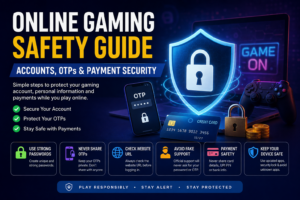
Online gaming has become increasingly popular, with players accessing games through websites, mobile applications and online platforms. While gaming can be entertaining, users should also pay attention to account security, OTP protection, privacy and payment safety.
A secure gaming account starts with simple habits. Using a strong password, protecting your OTP and avoiding suspicious links can significantly reduce the risk of unauthorized access.
This guide explains the most important online gaming safety practices every player should understand before creating or using an online gaming account.
Why Online Gaming Safety Matters
When you create an online gaming account, you may provide information such as your mobile number, email address, username and other account details.
If your account credentials are exposed, someone else could potentially attempt to access your account.
Security is therefore not only about protecting your password. It also involves:
- Protecting OTPs
- Using strong passwords
- Avoiding suspicious websites
- Checking website addresses
- Securing your mobile device
- Being careful with payment information
- Recognizing phishing attempts
- Keeping apps and browsers updated
A few basic precautions can make your online gaming experience safer.
1. Create a Strong and Unique Password
One of the easiest ways to improve account security is to use a strong password.
Avoid simple passwords such as:
- Your name
- Date of birth
- Mobile number
123456password- Repeated passwords used on multiple websites
Instead, create a password that is difficult to guess and preferably unique to your gaming account.
For example, a strong password can contain a combination of uppercase letters, lowercase letters, numbers and special characters.
Don’t Reuse Your Password
If you use the same password across multiple websites, a security problem on one service could potentially put other accounts at risk.
Using a unique password for important accounts is therefore a good security practice.
2. Never Share Your OTP
An OTP, or One-Time Password, is commonly used to verify a user’s identity.
You may receive an OTP when:
- Creating an account
- Logging into an account
- Resetting a password
- Confirming certain account actions
Never share your OTP with another person.
Legitimate support staff should not need you to reveal a confidential OTP sent to your phone.
If someone contacts you claiming to be customer support and asks for your OTP, treat the request with caution.
3. Check the Website Before Entering Your Details
Phishing websites can sometimes look similar to legitimate websites.
Before entering your username, password, OTP or payment information, check the website address carefully.
Look for:
- Correct domain spelling
- HTTPS connection
- Unexpected redirects
- Suspicious pop-ups
- Unfamiliar URLs
A small spelling difference in a domain name can sometimes indicate that you are visiting a different website.
4. Avoid Suspicious Links
Be careful with links received through:
- Telegram
- SMS
- Social media
- Unknown websites
A message may claim that you have won a reward or that your account needs immediate verification.
Instead of clicking an unknown link, open the official website directly through your browser and check your account there.
5. Keep Your Phone Secure
Your smartphone may contain important information, including OTP messages, saved passwords and payment applications.
Use a screen lock such as:
- PIN
- Password
- Fingerprint
- Face authentication
Also avoid installing applications from unknown sources.
Keeping your operating system and trusted applications updated can also help protect your device against known security issues.
6. Be Careful With Payment Information
Payment security is an important part of online gaming safety.
Never share confidential financial information with strangers or unverified support accounts.
Be particularly careful with:
- UPI PIN
- ATM PIN
- Card PIN
- CVV
- Banking passwords
- OTPs
Remember: UPI PIN Is Not a Payment-Receiving Password
A UPI PIN is used to authorize certain transactions. You should never enter your UPI PIN simply because someone tells you that you need it to receive money.
If a payment request looks unfamiliar, review it carefully before approving anything.
7. Don’t Save Payment Details on Untrusted Devices
If you’re using a public computer, friend’s device or shared smartphone, avoid saving:
- Passwords
- Card details
- Login credentials
- Payment information
Always log out after using an account on a device that isn’t yours.
8. Watch Out for Fake Customer Support
One common online scam involves people pretending to be customer-support representatives.
They may contact users through social media or messaging applications and ask for:
- OTP
- Password
- Bank details
- UPI PIN
- Screen sharing
- Remote-access permission
Don’t provide sensitive information simply because someone claims to represent a company or gaming platform.
If you need assistance, use the platform’s official support channel instead.
9. Use Two-Factor Authentication When Available
If a gaming platform provides two-factor authentication or another additional security option, consider enabling it.
Two-factor authentication adds another verification step to your account, making unauthorized access more difficult.
The exact security options available depend on the platform.
10. Don’t Ignore Suspicious Account Activity
Pay attention to unusual activity on your account.
Examples include:
- Unexpected login alerts
- Password reset messages you didn’t request
- Unknown account changes
- Unfamiliar payment activity
- Messages you didn’t send
- Login attempts from unknown devices
If you notice something suspicious, change your password immediately and contact the platform through its official support channel.
11. Avoid Playing or Logging In on Public Wi-Fi Without Care
Public Wi-Fi networks can be convenient, but you should be cautious when using them for sensitive activities.
Avoid entering sensitive payment or account information on networks you don’t trust.
When possible, use a secure private connection for important account activity.
12. Download Apps From Trusted Sources
If an online gaming platform provides a mobile application, make sure you understand where the application comes from before installing it.
Avoid installing APK files or applications sent by unknown people through messaging platforms.
An unknown application could potentially contain unwanted or malicious software.
Online Gaming Safety Checklist
Before using an online gaming platform, keep this checklist in mind:
- ✅ Use a strong, unique password
- ✅ Keep your OTP private
- ✅ Check the website URL
- ✅ Avoid suspicious links
- ✅ Don’t share your UPI PIN
- ✅ Never share your banking password
- ✅ Keep your phone updated
- ✅ Use additional account security where available
- ✅ Don’t install unknown applications
- ✅ Log out from shared devices
- ✅ Contact official support for account problems
- ✅ Monitor your account for unusual activity
What Should You Never Share?
For quick reference, never share sensitive information such as:
| Information | Should you share it? |
|---|---|
| OTP | ❌ No |
| UPI PIN | ❌ No |
| ATM PIN | ❌ No |
| Banking password | ❌ No |
| Card CVV | ❌ No |
| Account password | ❌ No |
| Public username | Usually okay |
| Public game ID | Depends on the platform |
When in doubt, don’t share the information until you’ve verified who is requesting it and why.
What to Do If You Think Your Account Is Compromised
If you believe someone has accessed your account without permission, act quickly.
Step 1: Change Your Password
Change the account password immediately and use a new password that you haven’t used elsewhere.
Step 2: Secure Your Email and Phone
If the gaming account is connected to an email account, make sure that email account is also secure.
Step 3: Check Account Activity
Look for unfamiliar logins, changes or transactions.
Step 4: Contact Official Support
Use the platform’s official customer-support channel rather than contacting random support accounts on social media.
Step 5: Monitor Your Payment Accounts
If you notice an unauthorized financial transaction, contact your bank or payment provider through its official channel as soon as possible.
Final Thoughts
Online gaming safety starts with simple habits. Protecting your password, keeping OTPs private, checking URLs and being cautious with payment information can help reduce common security risks.
Never assume that someone is trustworthy simply because they claim to be customer support. When dealing with account or payment issues, always use verified communication channels.
Whether you’re accessing a gaming website from a computer or mobile device, taking a few minutes to check security details can help protect your account and personal information.
Frequently Asked Questions
Is it safe to share an OTP with gaming support?
No. You should generally keep OTPs private and never disclose them to someone who contacts you unexpectedly.
Should I share my UPI PIN to receive money?
No. Your UPI PIN is confidential and should not be shared with another person.
How can I protect my online gaming account?
Use a strong unique password, protect your OTP, enable additional security features when available and avoid suspicious links.
How can I identify a fake gaming website?
Check the domain name carefully, look for unexpected redirects and avoid entering sensitive information on unfamiliar websites.
What should I do if someone asks for my password?
Don’t share it. Use the platform’s official support channel if you need help with your account.
Is it safe to install gaming APK files from unknown websites?
It’s safer to use trusted and official sources. Unknown APK files can carry security risks.